Chrome Extension

Turn any tab
into a sampler.

Capture audio from any browser tab. Auto-chop into samples. Perform on a 16-pad sampler. No DAW required.

TAB SAMPLER

A complete production studio.
Inside your browser.

Capture

Record audio from
any tab. Instantly.

YouTube, Spotify, SoundCloud — any website with audio becomes a sample source. One click to start capturing. No system routing, no external tools.
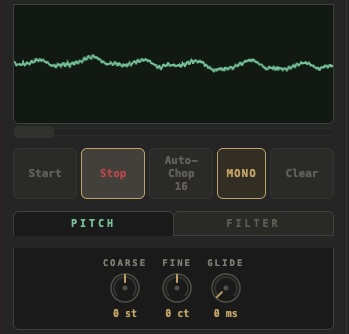
Tab Sampler recording view with waveform and controls
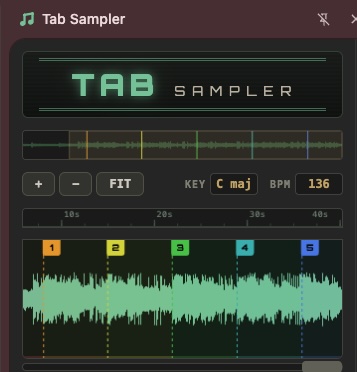
Tab Sampler chop view showing waveform slices

Slice

Auto-chop with
surgical precision.

Intelligent transient detection slices recordings into perfectly timed samples. Or take manual control and set your own chop points with sample-accurate editing.

Perform

16 pads. Infinite
possibilities.

A classic 16-pad grid right in your browser. Trigger samples with your keyboard or mouse. Velocity-sensitive, responsive, and built for real performance.
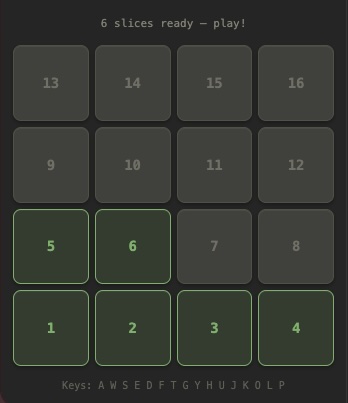
Tab Sampler 16-pad grid with loaded samples

Compatibility

MIDI Keyboard & Keypad
Ready.

Plug in your MIDI controller or use your computer keyboard — both connect seamlessly to trigger pads and shape your sound.

MIDI

MIDI Controller

Connect via Web MIDI API. Map pads, knobs, and faders for hands-on control.

Q W E R T Y U I A S D F G H J K PAD 1 PAD 2 PAD 3 PAD 4

Computer Keyboard

Use A-S-D-F and more keys to trigger pads instantly. No extra hardware needed.

Also included

Pitch & Filter FX

Pitch shifting, filters, and real-time effects per pad.

Key & BPM Detection

Automatically detect the key and BPM of any song when you capture tab audio.

Record & Export

Record performances in real-time. Export as WAV for any DAW.

See it in action

Watch. Listen. Create.

How it works

Three steps. That's it.

1

Capture

Hit record on any tab. Audio is captured directly from the browser — no system routing needed.

2

Chop

Auto-slice by transients or set manual chop points. Each slice becomes a pad-ready sample.

3

Play

Perform on the 16-pad grid. Use your keyboard or MIDI controller. Record and export your session.

Your browser is now
an instrument.

Available now on the Chrome Web Store.

Add to Chrome — It's Free